
KASTT ORBIT

Four apps in one orbit.

Back up your PC, learn to code, write code with a live preview and build FiveM assets. Free Windows apps made by KASTT, in one black and violet galaxy.

Pick a planet Drag the system to spin it, or tap an app to jump to it.

The apps

Each one installs on its own. ORBIT, Academy and Code share one XP bar and can open each other. Studio is the one for FiveM.

ORBITVault, tools and setup

Your PC, sorted.

Automatic backups, a galaxy of notes, a toolbox for developers and one click setup for a fresh PC.

  • Zip backups on a timer, a calendar or whenever files change, with catch up after sleep
  • Notes as a galaxy of stars you can zoom into and link together
  • JWT decoder with signature checks, hashes, encoders, regex, colours and more
  • Install the apps you need in one click, plus fix it commands and virtual machine guides
ORBIT AcademyLearn, labs and Dojo

Learn by doing.

Spin a 3D brain to pick what to learn, then practise in labs and test yourself in the Dojo.

  • Ten stages per language, from beginner to advanced, each ending in a boss
  • A 3D brain of topics: drag it round and pick a lobe
  • Labs and Dojo challenges that run right in the app, with a FiveM stage for Lua
  • XP, streaks, badges and daily missions shared across every ORBIT app
ORBIT CodeEditor and live preview

See it as you type.

A code editor built around a live preview. HTML, CSS, JavaScript and Markdown update with every keystroke, before you save.

  • Live preview with device sizes, a console and click to jump to the code
  • Prettier, Emmet, rainbow brackets, inline errors, git blame and TODO tracking built in
  • Run Python, Node and more with one key, plus a terminal
  • Your coding stats: time per session, total hours and lines written
ORBIT StudioFiveM asset studio

Build for FiveM.

Open an MLO or a clothing pack and see what is inside, what is broken and what clashes with your server, then export the config you need.

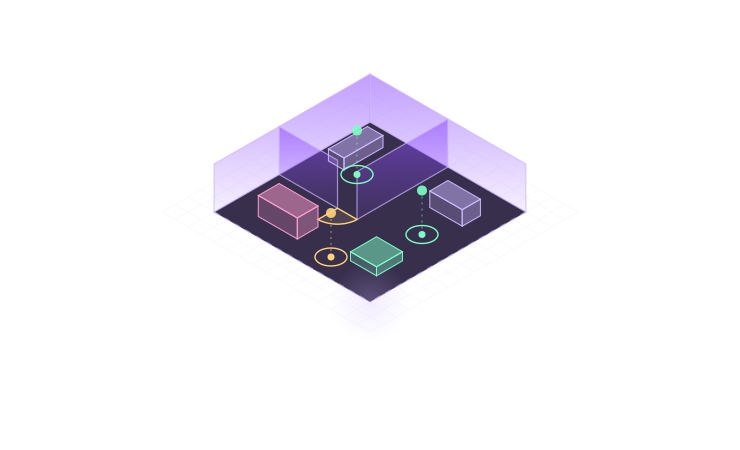
  • MLOs in 3D with real textures, a floor plan, entity sets and a performance report
  • Doors and target points exported for qb-doorlock, ox_doorlock, qb-target, ox_target and PolyZone
  • Clothing checks, item photos, in-game numbers, an outfit builder and catalogues for Discord
  • A game link to try clothes on and check doors in your server, and escrow files are never opened
An MLO floor plan with doors and target points marked

Up and running in a minute

Install one and the others are a click away from its More apps button.

  1. Download

    Pick the Setup for the app you want. The portable version runs without installing.

  2. Run the Setup

    Choose where it goes and accept the licence. It adds a Start menu and desktop shortcut.

  3. Open it

    Your logo plays, then you are in. Press Ctrl+K in any ORBIT app for the command palette.

  4. Add the rest

    Press More apps in the bottom left to install or open the others.

Seeing "Windows protected your PC"? That shows for apps that are new and not yet code signed. Press More info, then Run anyway. Every download comes straight from our GitHub releases. Windows 10 or 11, 64 bit.

Always the newest version

No need to come back here for every release.

You get a notification

Each app checks when it opens and every few hours, and tells you when a new version is out.

One click to update

Press Update in the app. It downloads, installs and restarts by itself, with your files and settings untouched.

Checked before it runs

Every update is checked against its fingerprint before it installs, so a broken or changed download is thrown away.